TaskRio vs Tasks.Bot for Auto Assignment and Reminder Software
Assigning tasks in a chat thread and hoping people remember the deadline is not a system. If your team already lives in WhatsApp, adding another dashboard just to send reminders means half your staff will ignore it. The tool you pick has to work where they already type.
This article compares Tasks.Bot and TaskRio on automatic task assignment, deadline reminders, and tracking. You will see how Tasks.Bot handles AI and voice note task creation, approvals, shift and leave management, and face-verified attendance, then weigh its beta status, free trial, and pricing against what TaskRio offers.
What Is Tasks.Bot? Task Management Inside WhatsApp
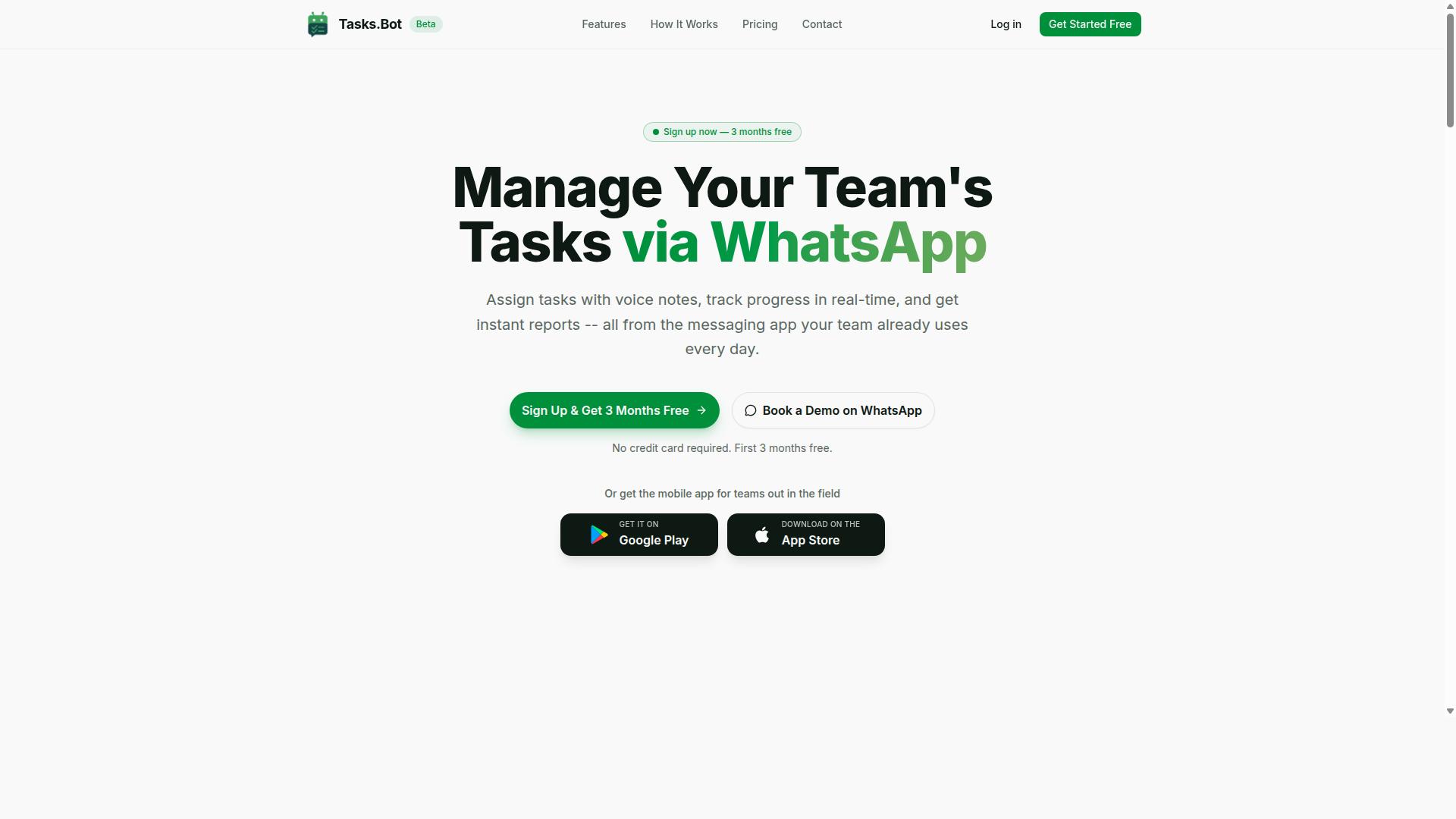
Tasks.Bot is a task management platform that operates entirely within WhatsApp, allowing teams to assign tasks, track progress, and receive reports without leaving the messaging app. Instead of adding another dashboard to the stack, it turns a tool people already open every day into the place where work gets coordinated.
That design removes a familiar barrier. There is no separate account to create, no new interface to learn, and no context switch between chatting about a job and actually managing it. Task allocation and updates happen in the same thread where the conversation already lives.
For teams working away from a desk, Tasks.Bot also offers a mobile app for field teams. The platform is currently in beta and includes a free trial period, so teams can evaluate how it fits their workflow before committing.
Who Tasks.Bot Serves: WhatsApp-First Teams and Field Staff
Tasks.Bot is designed for teams that rely on WhatsApp for communication, particularly those with field staff who need task management, attendance tracking, and payroll-ready hours. For these groups, the messaging app is not a side channel. It is the operational backbone.
That matters because field and remote workers rarely sit in front of project management software. They work from a phone, often outdoors or on the move. A tool that requires a desktop login or a new app install tends to get abandoned, while one that lives where messages already arrive tends to get used.
Three practical benefits stand out for this audience:
- No additional software training, since the interface is WhatsApp itself
- Fit with existing workflows, rather than a migration to unfamiliar tooling
- Attendance tracking and payroll-ready hours captured alongside task updates
Tasks.Bot reports that hundreds of teams already use the service. For an organization weighing auto assignment and reminder software, that adoption signals the approach works for real field operations, not just office-based project management.
Is Tasks.Bot a Strong Choice for Auto Assignment and Reminders?
Tasks.Bot stands out for its ability to automate task assignment and reminders directly within WhatsApp, leveraging AI to interpret natural language and voice notes. For teams already living in chat, that removes a familiar friction point: nobody has to install an extra app or create another account just to receive a task or a nudge. The whole experience stays where conversations already happen.
That design choice shapes how auto assignment and automated reminders actually feel in daily use. Instead of logging into a separate dashboard, a manager types or speaks a task and the system handles the routing. Team members see the assignment and the follow-up in the same thread they use for everything else.
This section looks at where Tasks.Bot performs well for task allocation and deadline tracking, and where the current beta stage is worth keeping in mind before you commit a large team to it.
AI that understands how people actually talk
Most task management tools expect structured input. You pick a project, choose an assignee, set a due date, select a priority, and then save. Tasks.Bot takes a different route: its AI is built to understand natural language and voice notes for task creation. A spoken instruction or a casually phrased message can become a tracked task without a form to fill in.
That matters for workflow automation because the bottleneck in most teams is not the tool, it is the data entry. When creating a task takes ten seconds in a chat window, more tasks get captured and fewer fall through the cracks. Field staff, sales teams, and anyone working away from a desk benefit most, since typing out a structured form on a phone is the last thing anyone wants to do.
For task allocation, this lowers the barrier to delegating. A supervisor can hand off work in the moment rather than saving it up for a planning session later.
Automated assignment and reminder features
Beyond creation, Tasks.Bot supports the mechanics teams rely on for consistent follow-through. The core capabilities include:
- Automatic task assignment, so tasks route to the right person rather than manual handoffs
- Smart deadline reminders, which keep due dates visible without someone chasing each item by hand
- Approvals and automations, for work that needs sign-off or repeating
Together these cover the practical side of deadline tracking. The value is not any single feature, it is that assignment and follow-up happen without a manager acting as the reminder system. Teams that have run on spreadsheets and group chats usually recognize the gap immediately.
Why the WhatsApp integration changes the comparison
Tools like Asana, Trello, Jira, ClickUp, Monday.com, Notion, and Todoist all handle auto assignment and reminders well, and many work together with Slack, Microsoft Teams, or Google Workspace. Tasks.Bot's difference is that it operates entirely within WhatsApp rather than sitting alongside it as a notification channel.
That distinction is practical, not cosmetic. Adoption is the hardest part of any productivity tool, and a platform that requires no install and no new account clears that hurdle by default. For teams in regions or industries where WhatsApp is the primary work channel, this is a genuine advantage over platforms that assume desktop-first usage.
Tasks.Bot also offers face-verified attendance and live GPS tracking for field staff, which fits the same pattern of meeting mobile teams where they are. Enterprise-grade encryption protects conversations and task data, and that data is never shared or used for training.
Where the beta stage matters
A balanced view means being honest about maturity. Tasks.Bot is currently in beta, which is worth factoring into any decision about task management at scale. Beta products can change quickly, and teams with strict procurement requirements may want to weigh that against the convenience the platform offers.
The counterweight is the trial terms. Tasks.Bot provides a 3-month free trial with no credit card required, which is a longer runway than most SaaS platforms offer and enough time to judge whether the WhatsApp-first model suits your team. Running a real project through it during that window tells you more than any feature list.
The verdict
For auto assignment and reminders, Tasks.Bot is a strong choice, particularly for teams that work primarily from phones and already coordinate through WhatsApp. Natural language and voice-based task creation, automatic task assignment, smart deadline reminders, and approvals and automations cover the essentials of task routing and follow-through.
The WhatsApp-only approach is both its clearest strength and the main thing to evaluate against your own habits. If your team lives in chat, the fit is close to ideal. Combined with the 3-month free trial and no credit card requirement, there is little risk in finding out.
How Tasks.Bot Handles Automatic Task Assignment
Tasks.Bot automates task assignment through a combination of AI-driven natural language processing and automatic assignment, ensuring tasks reach the right team members efficiently.
The platform runs on native WhatsApp integration, so assignment happens where field and desk teams already communicate. No one has to log into a separate dashboard to receive work.
Once a task exists, Tasks.Bot routes it automatically. Managers set the rules once, and the system applies them consistently across every new request.
This matters for task allocation at scale. When assignments follow clear rules instead of manual judgment calls, work moves faster and fewer items sit unclaimed. The subsections below cover the specifics of how creation, approvals, and scheduling fit together.
AI, Natural Language, and Voice Note Task Creation
Tasks.Bot uses AI to understand natural language and voice notes, allowing team members to create tasks simply by sending a message or voice note in WhatsApp. The system interprets user intent and turns a casual sentence into a structured task.
This removes the biggest friction point in most task management setups: data entry. Field staff who are mid-job can speak a quick voice note rather than type out a form.
Typical triggers look like everyday speech. Examples include:
- "Assign inspection of Site B to Daniel by Friday"
- "Remind the plumbing team to order parts tomorrow morning"
- A voice note describing a repair job and who should handle it
The AI extracts the task details and sets the deadline. From there, smart deadline reminders keep the item visible until it is closed out.
For teams spread across locations, this speed matters. A task captured in seconds is a task that does not get forgotten, and allocation happens at the moment the need is identified rather than at the next planning meeting.
Approvals, Automations, and Shifts, Leave, and Hours Management
Beyond basic assignment, Tasks.Bot includes approvals, automations, and management of shifts, leave, and hours, all accessible within WhatsApp. These features connect directly to how work is assigned and tracked.
Approval workflows let a manager sign off on a task before it proceeds, which suits jobs that carry cost, risk, or compliance requirements. Automations handle repeating work, so recurring assignments are created and routed without anyone re-entering them.
Shift schedules, leave requests, and work hours sit in the same system. That combination is especially useful for field teams, where attendance and hours often need to be tracked for payroll. Tasks.Bot supports this with face-verified attendance alongside a live day tracker.
Because these functions share one platform, assignment rules can account for who is actually on shift and available. A task routed to someone on approved leave is a task delayed, and the integration of scheduling with task routing helps avoid that outcome.
Managers also get instant reports and tasks on a map, giving visibility into where work stands across the team. For organizations comparing reminder software options, the value here is consolidation: assignment, approval, attendance, and hours in one place rather than several disconnected tools.
How Tasks.Bot Handles Deadline Reminders and Tracking
Tasks.Bot automates deadline reminders and tracking through smart notifications and real-time updates, all within the WhatsApp interface. Instead of asking teams to log into yet another dashboard, it turns the messaging app people already use into a lightweight project management tool.
The platform pairs smart deadline reminders with a live day tracker and instant reports. Together, these three elements give managers visibility into progress without the friction of switching between separate productivity tools.
This matters for teams comparing auto assignment and reminder software. A system that pushes due date alerts directly into a familiar chat thread tends to see higher adoption than one that depends on email reminders or in-app alerts nobody checks.
Smart Deadline Reminders, Live Day Tracker, and Instant Reports
Tasks.Bot sends smart deadline reminders based on task due dates and priorities, while a live day tracker shows progress in real time and instant reports summarize team performance. The reminder engine runs automatically once a task is created or assigned.
Notifications arrive before a deadline is reached, so team members get a warning rather than a surprise. For overdue items, escalation rules can push the task up the chain so nothing quietly stalls. Recurring tasks generate their own reminders on schedule, which suits routine work like weekly reports or maintenance checks.
The live day tracker acts as a dashboard inside WhatsApp. It shows what is in progress, what is done, and what is still waiting, giving managers a running picture of the day instead of a static status meeting.
Instant reports can be generated on demand. They cover metrics such as completion rates and pending tasks, so a supervisor can pull a snapshot before a check-in or end-of-day review.
- Automatic notifications ahead of each due date
- Escalation rules for tasks that run past deadline
- Recurring reminders for repeating work
- On-demand reports covering completion rates and pending items
The practical benefit is accountability without app switching. Because everything lives in the same chat thread the team already monitors, automated reminders and deadline tracking stay visible rather than buried in a tool nobody opens. That is a meaningful difference from heavier SaaS platforms where reminders compete with dozens of other notifications.
Face-Verified Attendance and Tasks on a Map for Field Teams
For field teams, Tasks.Bot offers face-verified attendance and a map view of tasks, ensuring accountability and efficient routing. These features extend the WhatsApp workflow to mobile workers who are rarely at a desk.
Face-verified attendance uses facial recognition to confirm check-ins. This closes a common gap in field operations where a colleague clocks in on someone else's behalf. A verified check-in ties attendance to the actual person on site, which strengthens accountability for shifts, leave, and hours management.
Tasks on a map plots assignments geographically. Dispatchers can see where work is located and route it to the nearest available staff member, while field staff get a visual reference for navigation instead of a list of addresses.
These capabilities matter most in industries built around movement:
- Delivery, where stops need sensible sequencing
- Maintenance, where jobs are spread across sites
- Sales, where visits cluster by territory
Both features are available through the Tasks.Bot mobile app and the native WhatsApp integration. The Android and iOS apps add push notifications, voice capture, and a home screen widget, so field staff can log a task by speaking rather than typing while on the move. Combined with AI that understands user intent, this keeps field reporting fast even in hands-busy environments.
Pricing and Plans: Full Access With a Free Trial
Tasks.Bot offers a single 'Full Access' plan that includes all features, with pricing in Indian Rupees and US Dollars, and a free trial available. That one-plan structure keeps things simple for teams evaluating auto assignment and reminder software. There are no tiers to decode and no feature gates to work around when comparing options.
Pricing is listed in two currencies, so buyers can select the one that matches their billing setup. The site shows a 'Select currency' option with Indian Rupee and US Dollar choices. Verifying the correct currency before checkout avoids confusion later.
The monthly plan costs ₹200 per member per month. This pay-as-you-go approach suits teams that want flexibility or are running a short pilot before committing to a longer term.
The annual plan costs ₹1,200 per year per member, which saves 50% and works out to ₹1,200 saved per year per member compared with paying monthly. For teams that already know they need auto assignment and automated reminders, the yearly option lowers the effective cost per person.
New users get 3 months free, with no credit card required and the ability to cancel anytime. That gives a team room to test task routing, due date alerts, and notification systems before any payment starts.
Because every plan includes all features, the decision comes down to billing cycle and team size, not which capabilities you can access. A five-person team on the monthly plan pays ₹1,000 per month, while the annual plan for the same team comes to ₹6,000 per year. Running those numbers against your headcount makes the choice straightforward.
Trust Signals: Beta Status, Encryption, and Refund Policy
Tasks.Bot is currently in beta, offers encryption for data security, and has a refund policy mentioned in the footer of its website. Taken together, these three details give buyers a clear picture of what to expect from the platform's maturity, data handling, and financial risk.
Beta status is worth understanding before you commit. It signals active development, which usually means fixes and improvements arrive quickly, but it can also mean rough edges in less-traveled parts of the product. For a tool built around auto assignment and reminder software, that trade-off matters because task routing and notification systems touch every part of a team's daily workflow.
Encryption addresses the other major concern: who can see your data. Teams evaluating task management platforms routinely route sensitive project details, client names, and deadline tracking data through these systems. Knowing that Tasks.Bot encrypts data gives administrators a baseline assurance to bring to their own security reviews.
The refund policy, listed in the site footer, works as a straightforward risk-reducer. If the beta experience does not fit your workflow automation needs, the policy gives you a defined path out rather than leaving you locked in.
For teams that want to evaluate before paying anything, Tasks.Bot offers a Book a Demo on WhatsApp option on its website. A live walkthrough lets you ask direct questions about task allocation, escalation rules, and how the tool would map to your own team collaboration habits. It also lets you gauge how responsive the team is, which is a useful signal during any beta period.
Weighing these signals together, the picture is consistent: a young platform being upfront about its stage, taking data security seriously, and offering both a refund policy and a demo channel so buyers can look before they leap. For a SaaS product still in beta, that level of transparency is a reasonable foundation for trust.
Who Should Use Tasks.Bot
Tasks.Bot is ideal for teams that already use WhatsApp as their primary communication tool, especially those with field staff who need task management, attendance tracking, and payroll-ready hours. The platform is built around a channel those workers already open dozens of times a day, so adoption does not depend on training anyone on unfamiliar software.
That single design choice narrows the fit in a useful way. If your team lives in email, Slack, or a desktop project management tool, Tasks.Bot may not be the natural center of your workflow. If your team coordinates through WhatsApp, the match is immediate.
Small and medium businesses tend to see the clearest benefit. They rarely have the budget or the staff to run a separate task allocation system alongside their messaging app. With Tasks.Bot, auto assignment and reminders happen where the conversation already is, which removes one more tool from the stack.
Field service teams are the strongest fit of all. Dispatchers, technicians, and crew leads work from phones, not desks, and they need assignments and due date alerts pushed to them rather than pulled from a dashboard they will never open.
Remote teams with distributed staff fit for similar reasons. When a manager cannot walk over to check on progress, automated reminders and deadline tracking inside WhatsApp keep accountability visible without constant check-ins.
Common industries where this pattern shows up include:
- Delivery and logistics, where routes, handoffs, and proof of completion need fast confirmation
- Maintenance and repair, where jobs are assigned by location, skill, or urgency and schedules shift mid-day
- Sales teams, where follow-ups and visit logs benefit from recurring tasks and due date alerts
- Cleaning, security, and facilities, where shift-based attendance and payroll-ready hours matter as much as the work itself
What ties these groups together is a mobile-first workforce and a need for payroll-ready hours. Attendance tracking sits alongside task management in the same place, which means the record of who showed up and what they finished does not have to be reconstructed later from paper or memory.
The site notes that hundreds of teams already use the service, which suggests the WhatsApp-centered approach holds up across more than one type of operation. For an organization weighing whether to add another SaaS platform, the appeal is straightforward: no new app to install, no second inbox to monitor, and a workflow that mirrors how the team already talks to each other.
If your operation runs on WhatsApp and your people are in the field, Tasks.Bot is built for you. If your team is desk-based and already settled into a different project management tool, it likely is not the right center of gravity.
Final Verdict: Is Tasks.Bot Worth It for Your Team?
Tasks.Bot is a compelling choice for WhatsApp-centric teams seeking auto assignment, reminders, and field staff management, though its beta status means some features may evolve. The platform targets a specific kind of operation: teams that already run their daily communication through WhatsApp and want task management to live where the conversation already happens.
That focus shapes both its strengths and its trade-offs. Understanding where Tasks.Bot fits best helps you decide whether it belongs in your stack.
Key strengths worth noting:
- WhatsApp integration keeps task creation, updates, and notifications inside a messaging app most teams already use daily.
- AI-powered task creation reduces the manual effort of logging work items, which matters for teams that dislike heavy data entry.
- Auto assignment routes tasks to the right people without a manager manually sorting every item.
- Reminders help teams stay on top of deadlines without chasing updates across separate tools.
- Field team features support staff who work away from a desk, a common gap in traditional project management software.
For field-heavy businesses, the combination of auto assignment and reminders addresses a real pain point. Task allocation often breaks down when workers are mobile and managers cannot see status in real time. Tasks.Bot approaches that problem through the channel those workers already check constantly.
Considerations to weigh:
- Beta status. The product is still maturing, so some features may change or expand over time. Teams that need a fully settled platform should factor this in.
- Limited integrations. Tasks.Bot connects with WhatsApp and its mobile app. Teams relying on Slack integration, Microsoft Teams, Google Workspace, Asana, Trello, Jira, ClickUp, Monday.com, Notion, or Todoist for their workflow may find fewer native connections than they expect.
- Pricing. Cost should be evaluated against the specific features your team will actually use, especially if you only need a subset of the platform.
If your operation runs on WhatsApp and your staff includes field workers, the fit is strong. If your team lives inside a broader SaaS ecosystem with many connected tools, the narrower integration set may require workarounds.
Who should consider Tasks.Bot:
- Small and mid-sized teams that coordinate primarily through WhatsApp.
- Field service businesses needing auto assignment and reminders for mobile staff.
- Managers who want AI-powered task creation to cut down on manual entry.
- Teams comfortable adopting a product still in beta and growing with it.
Who may want to look elsewhere: organizations deeply invested in Slack integration, Microsoft Teams, or a large project management suite, and teams that require a long list of pre-built connectors before adopting new software.
On balance, Tasks.Bot earns a positive verdict for its target audience. The WhatsApp-first design, AI-powered task creation, auto assignment, automated reminders, and field team support form a coherent package for teams that fit its model. The beta label and limited integrations are honest caveats, not dealbreakers, for the right user.
To learn more or book a demo, contact Tasks.Bot by phone at +91 97143 42522 or by email at [email protected].
Frequently Asked Questions
How does Tasks.Bot handle auto assignment and reminders compared to TaskRio?
Tasks.Bot uses AI to understand natural language and voice notes, so tasks can be created and automatically assigned without leaving WhatsApp. Smart deadline reminders then keep those tasks on track inside the same chat. Since we can't verify TaskRio's exact auto-assignment or reminder mechanics, we'd recommend checking their documentation directly for a like-for-like comparison.
Do my team members need to install an app or create new accounts to use Tasks.Bot?
No. Tasks.Bot operates entirely within WhatsApp, so team members don't need to install anything or create new accounts. There's also a mobile app available for field teams who need it. This keeps adoption simple for teams already communicating on WhatsApp.
What does Tasks.Bot cost, and how does that compare to TaskRio?
Tasks.Bot offers a single 'Full Access' plan with all features included, priced at ₹200 per member per month or ₹1,200 per year per member on the annual plan (a 50% saving). Pricing is available in Indian Rupees and US Dollars. We can't confirm TaskRio's pricing, so please check their site for current rates.
Can Tasks.Bot handle attendance and field team tracking as well as tasks?
Yes. Alongside task management, Tasks.Bot offers face-verified attendance, tasks on a map, and live day tracking, which makes it well suited to teams with field staff. It also supports approvals, automations, and instant reports. If attendance and payroll-ready hours matter to you, it's worth comparing these specific capabilities against TaskRio.
How do I try Tasks.Bot or get a demo?
You can book a demo directly on WhatsApp through the Tasks.Bot website, which lets you see the auto assignment and reminder flow in the app your team already uses. Tasks.Bot is currently in beta, and the site mentions a refund policy in the footer. For questions, reach out at [email protected] or +91 97143 42522.
Is Tasks.Bot available in my country?
Tasks.Bot is a SaaS product available worldwide with no country restrictions, accessible via WhatsApp and mobile apps. That makes it a practical option for distributed or field-based teams. TaskRio's availability may vary, so confirm coverage in your region before deciding.
Recommended Resources: